 Ferry


Made for the Windows desktop
- Every note is a window. Move it, resize it, and it's there again after a restart, where you left it.
- Keep on top. Hold a note above every other window while you work from it.
- A shortcut from anywhere. Win+Shift+N makes a new note from any app. Change the keys in Settings.
- Starts with Windows, if you turn that on, and waits in the notification area.
- From the taskbar. Right-click Ferry's icon for your notes, or to start a new one.
- Light and dark, following Windows.
- Native on ARM. On an ARM PC, Ferry runs as an ARM app, not under emulation.
More than a yellow square
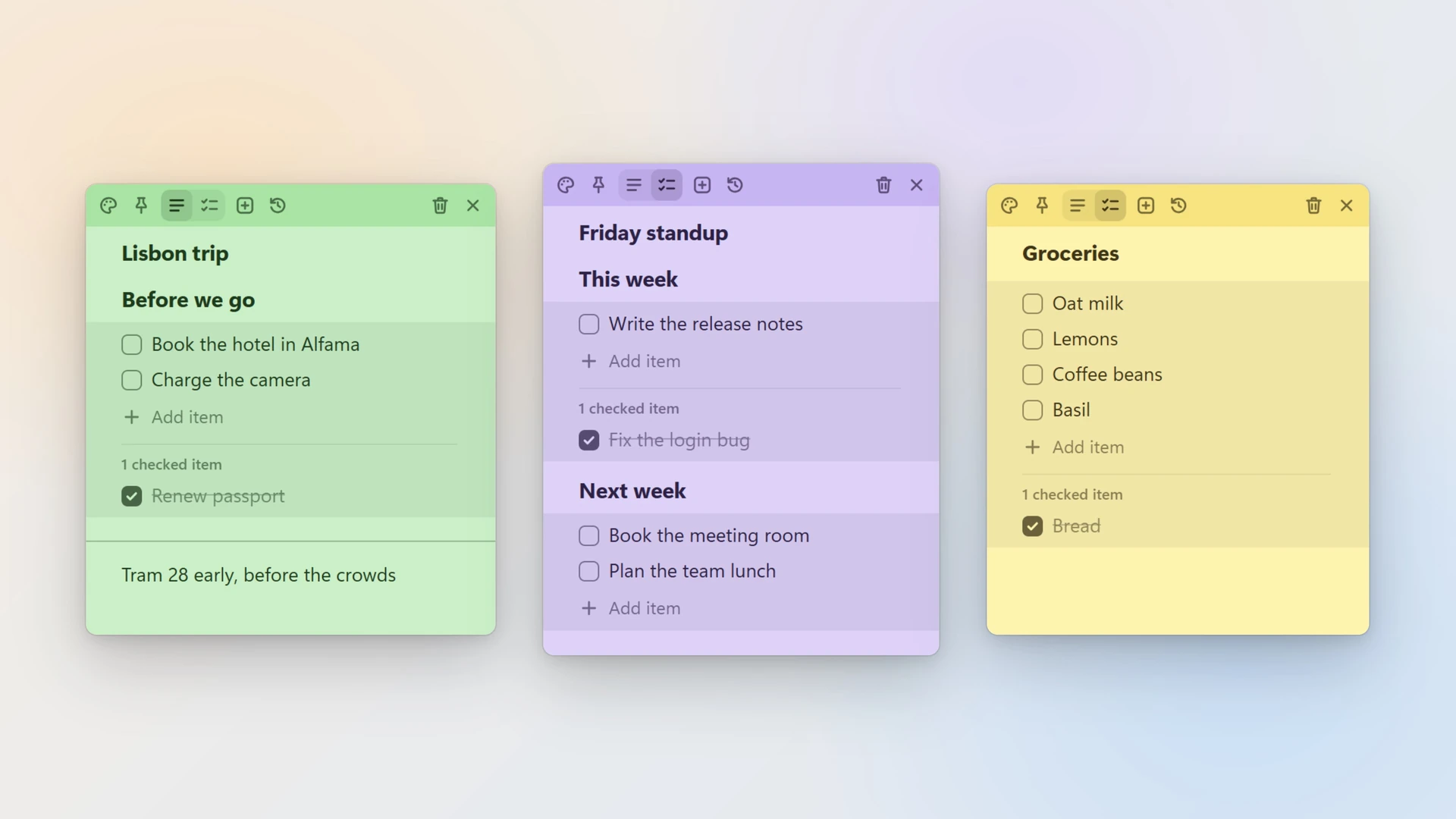
- Text, checklists, headings and dividers in any note.
- Seven colors, pinned notes, an archive, and a trash you can restore from.
- Search every note from the notes list.
- Version history brings back text you replaced.
- Export every note to Markdown and JSON, whenever you like.
And on your phone
Ferry works without signing in, and your notes stay on the PC. Sign in, and the same notes are on your Android phone or your iPhone, in widgets on the home screen, on the Mac and Linux, and in a browser at ferrynotes.app. Keeping devices in sync is Ferry Pro: $2.99 a month, $19 a year or $39 once, after 30 days free.
Installing it
Open the Microsoft Store and search for Ferry Notes, or use the badge at the top of this page. The Store keeps Ferry up to date. With winget:
winget install 9N4QXT5BRJBFQuestions
Doesn't Windows 11 already have sticky notes?
Yes: Microsoft's Sticky Notes comes with Windows. Ferry is for people who also want their notes in an app of its own on a phone, on Linux or on a Mac. How the two compare.
Is Ferry free?
Yes, with as many notes as you like and no account. Only sync between devices is paid, as Ferry Pro, and every account can try that free for 30 days, with no card.
Where are my notes kept?
Signed out, on this PC, and nowhere else. Signed in, in your account, so every device signed in to it shows the same notes.
Why is it called Ferry Notes in the Microsoft Store?
The Store already had an app called Ferry, so there it's listed as Ferry Notes. It's the same app, and its windows say Ferry.
Does it work on Windows 10?
Yes, the same app runs on Windows 10 and 11.